How it works

From finding a product to making a sale.

Research products, prepare your listings and check them before they go live. You stay in control.

See it step by step

From product idea to recorded profit.

Take a quick tour of the real extension screens. Choose a step to see what you do and what Ventrax handles.

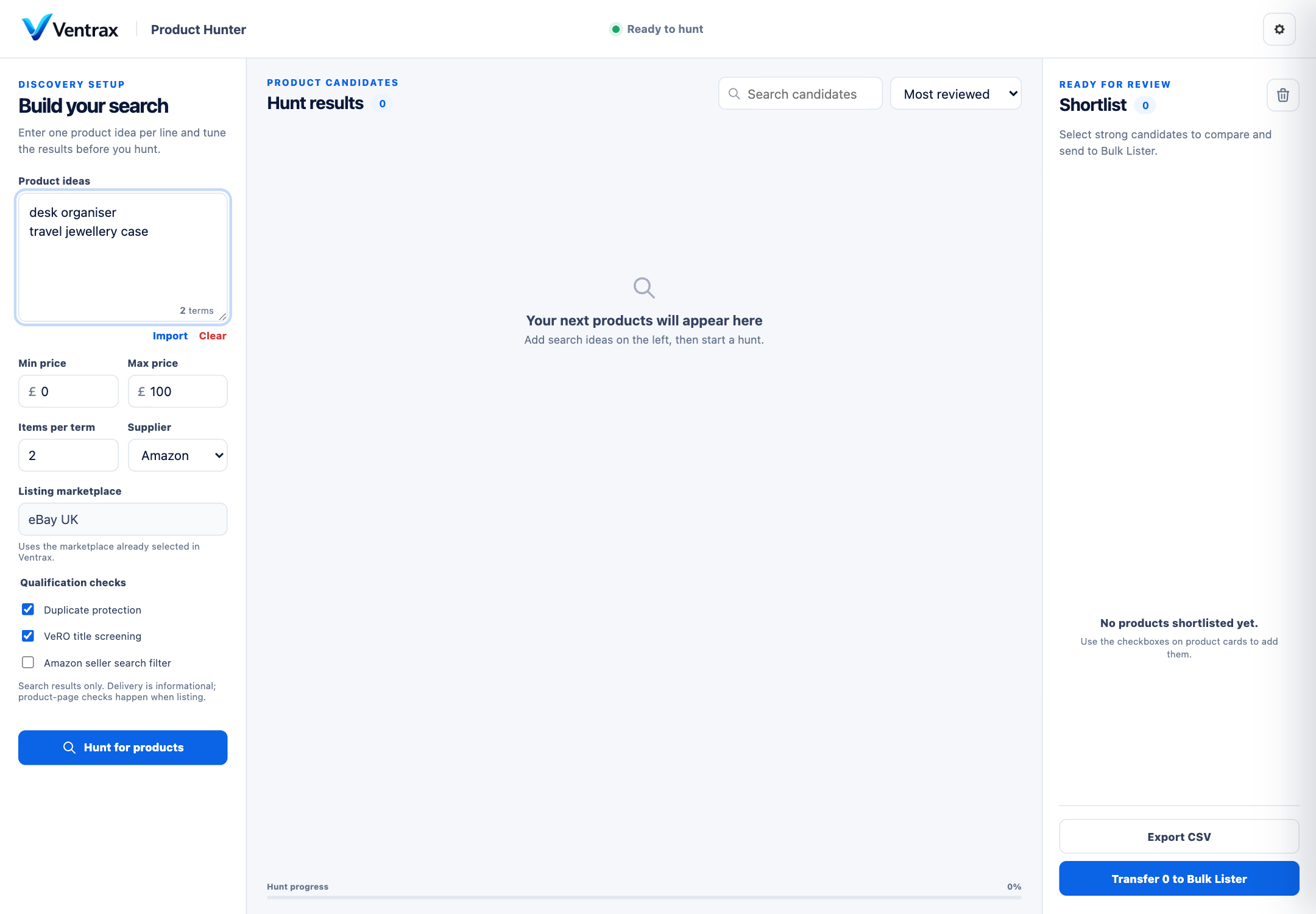
Ventrax Product Hunter with two example search ideas and product qualification filters.
Extension 49.75 · example dataView full-size image ↗
Step 1 of 5

Start with a product idea.

You choose
Enter a few product ideas in Product Hunter. Choose your filters and start the search.
Ventrax handles
Ventrax searches for candidates and brings the results into one place. You choose which products to keep.

Already have Amazon links? Go straight to the Listing Workspace.

An independent online seller preparing customer orders beside a laptop
Built around real workMore time for your business.
Photo: Kampus Production / Pexels

Your products. Your orders. One place.

Find products, create listings and track your profit in Ventrax.

01Find products
02List in batches
03Track your profit
Explore the product →
Software plus real support

Support comes with every paid plan.

Your plan includes the extension, your online workspace and community support.

Getting started — the same three steps for every plan

01

Pay securely

Choose a plan and review the price before you pay.

02

Set up your account

Create your account, then sign in to the website and extension.

03

Join the community

Get setup help, join group calls and meet other sellers.

Community access is included in every paid plan.

Growth, Pro and Unlimited VIP all include the community, weekly calls and help getting started.

Growth
Community, weekly calls and guided setup.
Pro
Everything in Growth, plus a priority support channel.
Unlimited VIP
Everything in Pro, plus a private VIP channel and direct support.